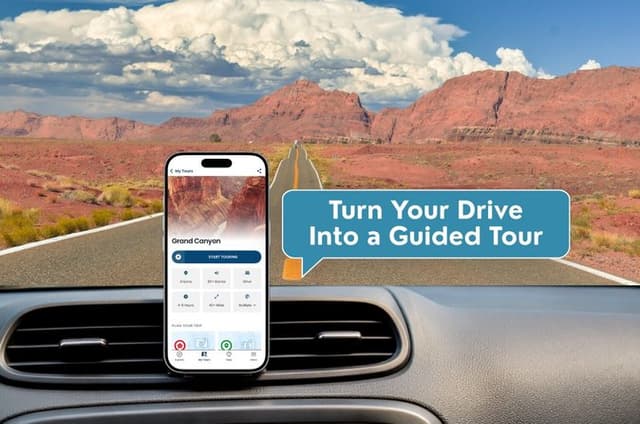
Grand Canyon South & East Rim: Driving & Walking Audio Tour
Witness one of the natural wonders of the world in all its glory. The Grand Canyon is so massive, so awe-inspiring, that you simply have to see it with your own two eyes to truly understand its scale. This self-guided tour takes you to all the best vistas and hiking trails on the canyon’s South Rim and fills you in on the fascinating history of the canyon and the Native people who once lived there. So get out there and see something incredible!
Hermit Road isn't accessible by private vehicle during the summer. The tour will instruct you to park at stop 15 and walk from stops 16-22, then take the shuttle for stops 23-31. The stops after 31, on the eastern side of the park, can once again be accessed via private vehicle.
After booking, check your email/text to download the separate Audio Tour Guide App by Action while connected to WiFi or mobile data. Enter the password, download the tour, & enjoy it offline. Follow the audio instructions and route from the designated starting point.
- Text transcripts of audio narration & Self-paced format (start/pause/resume anytime)
- Pre-recorded audio commentary (downloadable or streamable)
- This is a GPS-powered, self-guided audio tour that works through an app
- Lifetime access (no expiration) with Customer support (chat/email)
- Suggested walking/driving itinerary with stop-by-stop directions
- This tour is NOT an entrance ticket to the park
- Offline GPS-enabled route map
- NO in-person guide or physical equipment (bring your own device & headphones)
AI Review Summary
Opening overview: The Grand Canyon South & East Rim: Driving & Walking Audio Tour is generally well-liked — about two-thirds of reviewers left positive feedback — and most travelers say it’s an easy, informative way to see the canyon’s best viewpoints and short hikes without a guide. Reviewers especially appreciated how the audio fills in history and native culture while you move between overlooks on the South and East Rims.
Highlights: Guests frequently praise the clear, engaging narration and the practical route that hits the major vistas; many called the content "informative" and "interesting". The app and tour structure are described as straightforward and convenient by plenty of users, making this a relaxed, self-guided way to explore if you want context without a group.
Constructive critiques: About a third of reviewers raised concerns — common complaints were confusion around app setup or following the sequence of stops, and some people didn’t end up using the tour or felt it wasn’t worth the cost. A few issues also stem from park logistics (Hermit Road closures and required shuttles/walking in summer), which can catch first-time visitors off guard.
Overall recommendation: Recommended for independent travelers and first-time canyon visitors who like to explore at their own pace and want clear historical and route commentary — just be prepared for a little tech setup and seasonal access differences.
AI travel tips:
- Download the Action Audio Tour app and the tour while you’re on Wi‑Fi, and confirm the password so everything’s available offline before you enter the park.
- Plan for Hermit Road: in summer you’ll need to park and walk or use the park shuttle for several stops — wear comfortable shoes and allow extra time.
- Go early or late for the best light and fewer crowds, and bring water, a phone battery pack, and a map of the route so you aren’t relying solely on the app.
Itinerary
- Grand Canyon National Park
- Grand Canyon Visitor Center South Rim
- Mather Point
- Yavapai Point
- Yavapai Geology Museum
- Hopi House
- Kolb Studio
- Lookout Studio
- Hermit Road
- Trailview Overlook
- Maricopa Point
- Powell Point
- Hopi Point
- Mohave Point
- Pima Point
- Hermit's Rest
- Pipe Creek Vista
- Grandview Point
- Lipan Point
- Navajo Point
- Grand Canyon Desert View Watchtower
- Yaki Point
- South Kaibab Trail
- Tusayan Ruins and Museum
What's Excluded
- Entrance fees, in-person guide, headphones, transport, parking, food,Wi-Fi or cellular data, rentals
Cancellation Policy
For a full refund, cancel at least 24 hours before the scheduled departure time.
Rating: 3.91 out of 5 based on 117 reviews
Popular keywords: Nice, good info, easy to use
Additional Information
- Public transportation options are available nearby, Suitable for all physical fitness levels, How To Access: After booking, you’ll get an email and text with setup instructions and password (search “audio tour” in emails and texts). • Download the separate tour app by Action • Enter the password sent by email and text. • MUST download the tour while in strong wifi/cellular. • Works offline after download., How to start touring: Open Action’s separate audio tour guide app once onsite. • If there is just one tour, launch it. • If multiple tour versions exist, launch the one with your planned starting point and direction., Go to the starting point No one will meet you at the start. This tour is self-guided Enter the first story’s point and the audio will begin automatically Follow the audio cues to the next story, which will also play automatically. Enjoy hands-free exploring. If you face audio issues, contact support. Stick to the tour route & speed limit for the best experience., Some areas of the Grand Canyon South Rim tour are only accessible by shuttle—bring headphones for detailed audio instructions., For road closures and park entrance fees, please refer to the official park website. To avoid large crowds and enjoy the best views, visit during off-peak hours, ideally early morning or late afternoon., Audio Setup: Connect your phone to your car's stereo system using Bluetooth, USB, or AUX. For the best experience, consider using headphones for walking tours. Audio playback is compatible with Apple CarPlay, with navigation features coming soon. Support for Android Auto is also on the way., The tour requires a supported mobile device for navigation. Please use an iPhone with iOS 15 or later, an Android device with Android 9 or later, or an iPad/tablet with GPS and cellular service., Savings tips: Driving tours: purchase just one tour for everyone in the car, For the best experience, bring headphones/earbuds for your walking tour., You’ll need to take the park shuttle to access an area that is not open to private vehicles. We recommend bringing headphones so you can continue listening to the tour while riding the shuttle., Hermit Road isn't accessible by private vehicle during the summer. The tour will instruct you to park at stop 15 and walk from stops 16-22, then take the shuttle for stops 23-31. The stops after 31, on the eastern side of the park, can once again be accessed via private vehicle., Travel worry-free: Use the tour app anytime, on any day, and over multiple days. Start and pause the tour whenever you like, taking breaks and exploring side excursions at your own pace. Skip anything you don’t care about or explore bonus content for everything that interests you, New, Lifetime access, no expiry. Use it anytime, on any trip, as many times as you want.